
FOX Sports: Watch Live Games
Fox Digital Services, LLCSports
3.717.35K Reviews
- Version
- 5.162.0
- Installs
- 10.00M
- Age Rating
- Teen
Screenshots

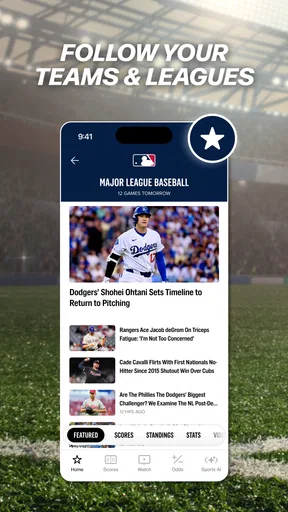
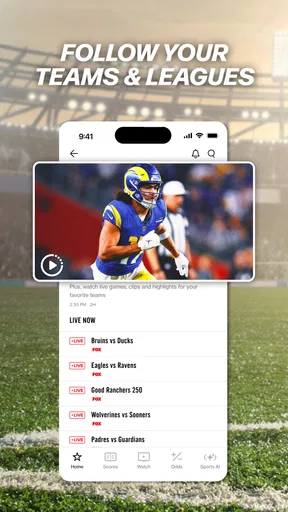
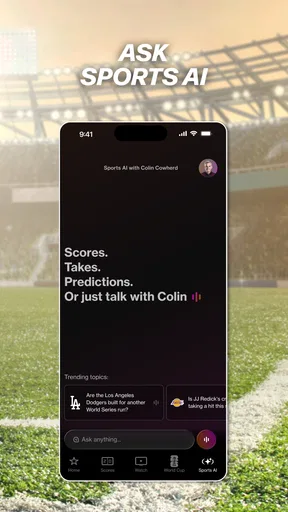
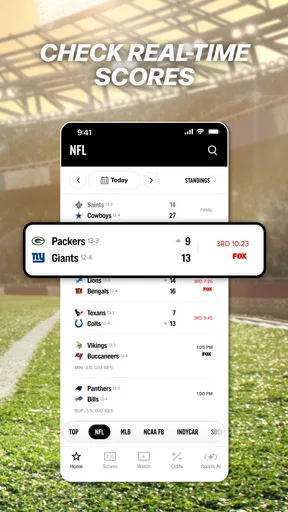

Our Review of FOX Sports: Watch Live Games
 Analysis by Appyee
When a game is on and I’m away from a television, I want a quick way to check whether I can watch it live without hunting through several sports apps. That is the clearest reason I’d keep FOX Sports: Watch Live Games on my phone: it brings live coverage for a range of sports into one place, including baseball, motorsports, college basketball, soccer, MLS and UFL. FOX Sports Interactive makes this free sports app, and its broad mix is more useful to me than a service built around just one league.
First Impressions
Upon opening the app, I was greeted with a sleek and user-friendly interface. It’s got a modern vibe that immediately draws you in. Navigation is a breeze, with everything neatly laid out. Whether you’re a tech-savvy guru or a casual user, you’ll find getting around FOX Sports: Watch Live Games to be pretty intuitive.
Live games are the main reason to open it
The strongest idea here is having live sports from several competitions under one roof. That breadth matters most when my viewing habits change with the season: I might be following baseball one day and looking for college basketball or soccer another. Rather than treating the app as a single-team companion, I see it as a useful place to start when I want to find out what live coverage is available across its sports lineup.
There is an important distinction between a broad selection and a guarantee that every game I want will be available. The app’s focus is live coverage of the competitions it carries, so I would check the schedule and the specific event before relying on it for a particular matchup. If my priority is one league’s complete schedule, a dedicated league app or the broadcaster carrying that event may be a better first stop.
How I would use it during an ordinary day
Imagine I’m finishing errands while a baseball game is underway, then heading home in time for a motorsports event. This is where a multi-sport app can save effort: I can check FOX Sports before opening separate services for each competition. If live viewing is practical, I can settle in; if not, I can look for a way to catch up later rather than losing track of the day’s sports altogether.
For a more deliberate routine, I’d decide what I want from the app before a game starts. If I have time to watch, I’d open it early enough to find the event and confirm that it is available. If I only have a few minutes, I’d use the app as a sports destination to check on the coverage and then return when I can give the broadcast my attention. That small habit is more reliable than assuming a game will be easy to locate at the last second.
Live Streaming Galore
The main selling point of this app is, of course, the live streaming of games. I was genuinely impressed by the selection available. From NFL to MLB, and even niche sports like soccer and MMA, it’s like having a sports bar in your pocket. The streaming quality is top-notch, offering crisp visuals and smooth playback. Even during peak times, I didn’t experience any buffering or lag, which is a huge plus.
The confirmed sports lineup includes MLB, NASCAR, INDYCAR, NCAA college basketball, soccer, MLS and UFL. That mix makes the app particularly appealing if I follow more than one kind of competition, but it also means I should not treat the service as a universal home for every sport or league. Before planning a watch party or making the app my only option for a big game, I’d check whether that particular event is listed. A little advance checking is a better safeguard than finding out at kickoff that I need another viewing option.
Personalized Content
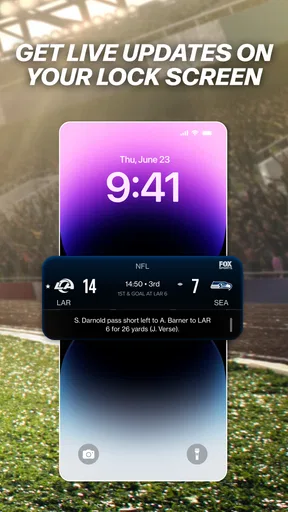
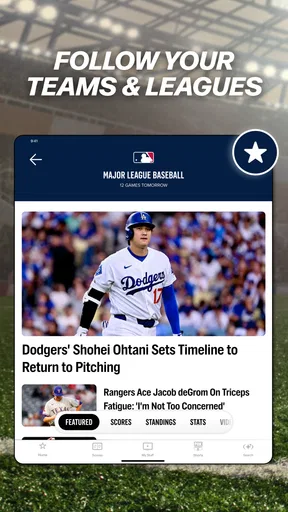
One of my favorite features is the personalization aspect. You can tailor the app to focus on your favorite teams and sports. It’s like having your own sports channel that only shows what you care about. I love that I can get updates and notifications specifically for the games and teams I follow. It’s a game-changer for keeping up with the latest scores and news without getting bombarded with irrelevant info.
Personalization is most helpful when my interests are spread across several competitions: choosing the teams and sports I care about can make a broad app feel less like an undifferentiated feed. I’d keep those choices focused rather than selecting everything. That way, team updates have a better chance of being useful, and notifications are less likely to interrupt me for games I never planned to follow. If I only want live video and prefer not to receive alerts, I can treat notifications as optional rather than part of the core reason to install it.
Highlights suit a different kind of fan
Beyond live games, the app is packed with extra content. From expert analysis to highlight reels, there’s plenty to dive into if you want more than just the live broadcasts. I found the highlight reels particularly useful for catching up on games I couldn’t watch live. It’s all about making sure you never miss a moment of the action.
In practice, highlights and a live stream solve different problems. If I have a full stretch of time and want to follow a contest as it unfolds, live coverage is the draw. If I’m between commitments or only want the key moments, a recap is a more sensible use of my time than trying to follow a broadcast in fragments. I’d use those formats deliberately: highlights for a quick catch-up, live viewing when the event itself is the point.
Where it fits among other sports apps
Compared with a single-league app, FOX Sports has an obvious convenience advantage for someone who follows multiple sports: I can begin in one place instead of switching between services just to look for live coverage. A league-specific app may still be the better choice when I want a narrow focus on one competition or a particular team. Broad coverage is valuable, but it does not automatically replace every specialist service.
It also differs from using a general television or streaming service as my only sports option. A broad entertainment service may suit someone who wants films and shows alongside occasional sports, while this app is built around sports viewing and related coverage. My choice would depend on how often I watch. For frequent fans who move between the competitions available here, a dedicated sports app makes more sense; for someone who watches only one major game now and then, checking the usual television provider may be simpler.
Compatible Devices and Accessibility
Whether you’re on Android or iOS, FOX Sports: Watch Live Games has got you covered. It’s compatible with a wide range of devices, and I found it worked seamlessly on both my smartphone and tablet. Plus, the app supports Chromecast, so you can easily cast games to your big screen. Accessibility features are well thought out, making the app inclusive and user-friendly for everyone.
That flexibility changes how I’d plan a viewing session. A phone is handy for checking coverage while I’m out, while a larger screen is a more comfortable way to watch when I’m home. Casting can bridge that gap if I want to move a game from a personal device to a television. I’d still test the setup before guests arrive or before an event I especially care about; relying on a screen connection for the first time at the moment I want to watch adds needless friction.
Cost, expectations and small trade-offs
The app is free to download, but in-app purchases are offered, with items ranging from under a dollar to prices that reach roughly seventy-five dollars. That range makes it worth paying attention to purchase details instead of assuming that every option is necessary to watch the sports I care about. I’d start by exploring the free app and only consider a purchase if its terms and content match a specific need.
Its average rating is 3.7 from around sixty-one thousand ratings, and it has been installed over ten million times. I read that as a sign of a widely used app with a mixed reception, not as proof that every viewing experience will be flawless. The age rating is Teen, and the app has been available since 2011. These points help set expectations, but the practical test for me remains whether it covers the games I follow and fits the way I watch.
The biggest trade-off is that a broad sports hub can still require a little planning. I would not assume every event is carried, that every fan needs the paid options, or that a phone is always the best screen for a long game. On a limited break, a live broadcast may be less convenient than a short recap; for a must-see event, I’d confirm coverage before depending on this app alone. Those checks are modest, but they help keep the app useful rather than disappointing.
Who gets the most from it
I’d recommend it first to fans who follow several of the sports it covers and want a single app to check for live games. It also makes sense for someone who is often away from a television but still wants a sports-focused option on a phone or tablet. If I mainly watch baseball and also keep up with motorsports, college basketball or soccer, the range is a practical advantage rather than just a long list of names.
I’d be more cautious if I followed only one competition and already had a reliable way to watch it. In that case, a league-focused app or the service that carries my team may be easier to navigate. It may also be a poor fit if I expect every game across all sports to appear in one place, or if I rarely watch live events and do not care about sports coverage beyond an occasional score.
Extras and Highlights
Beyond live games, the app is packed with extra content. From expert analysis to highlight reels, there’s plenty to dive into if you want more than just the live broadcasts. I found the highlight reels particularly useful for catching up on games I couldn’t watch live. It’s all about making sure you never miss a moment of the action.
In-App Purchases and Subscriptions
While the app is free to download, there are some in-app purchases and subscriptions available. These unlock additional features and content. If you’re a hardcore sports fan, the subscription might be worth it for the extra perks. However, the free version still offers a substantial amount of content, so casual users can still enjoy a lot without spending a dime.
Final Thoughts
Overall, FOX Sports: Watch Live Games is a solid choice for any sports enthusiast. With a vast array of live games, personalized content, and high-quality streaming, it’s a must-have for anyone who wants to keep up with their favorite sports on the go. While there’s always room for improvement, especially in expanding the range of sports covered, it’s hard to find fault with what’s already an excellent service. So, if you’re looking for a reliable way to watch live games, this app should definitely be on your radar.
So, there you have it! That’s my take on the app. Now, I’d love to hear your thoughts. Have you tried it out yet? What’s your experience been like? Let me know!
Privacy and Permissions
See what permissions an app requests and how it handles your data.
- Location
- approximate location (network-based)
- Phone
- read phone status and identity
- Photos/Media/Files
- read the contents of your USB storage, modify or delete the contents of your USB storage
- Storage
- read the contents of your USB storage, modify or delete the contents of your USB storage
- Camera
- take pictures and videos
- Microphone
- record audio
- Wi-Fi connection information
- view Wi-Fi connections
- Device ID & call information
- read phone status and identity
- Other
- mock location sources for testing, view network connections, pair with Bluetooth devices, allow Wi-Fi Multicast reception, connect and disconnect from Wi-Fi, full network access, change your audio settings, run at startup, reorder running apps, prevent device from sleeping, read Google service configuration
Verdict
Strengths of FOX Sports: Watch Live Games
- High-quality live streaming of various sports.
- User-friendly interface with easy navigation.
- Personalized notifications for favorite teams.
- Access to exclusive sports analysis and commentary.
- Multiple device compatibility for seamless viewing.
Limitations of FOX Sports: Watch Live Games
- Some content requires a subscription.
- Occasional streaming delays during peak times.
- Limited offline viewing options available.
- Ad interruptions during live events.
- Geographic restrictions on certain content.
Other Releases by Fox Digital Services, LLC
View All
FOX One: Live News, Sports, TV
Entertainment4.4
Similar Picks in This Category
View All
BeSoccer: Soccer Live Score
BeSoccer apps4.3

Cricbuzz - Live Cricket Scores
Cricbuzz.com3.7

NFL
NFL Enterprises LLC2.4

Da Fit
MO YOUNG LIMITED3.6

ESPN
Disney4.5

LiveScore: Live Sports Scores
LiveScore Limited4.5
Frequently Asked Questions
How can I watch live games on FOX Sports?
To watch live games on FOX Sports, you need to download the app from the Google Play Store or Apple App Store. Once installed, sign in with your TV provider credentials. Navigate to the ‘Live’ section to view available games. Ensure you have a stable internet connection for uninterrupted streaming.
Is a subscription required to access FOX Sports?
Yes, a subscription through a participating TV provider is required to access all content on FOX Sports. Without a subscription, you may be limited to only select highlights and clips. Check with your TV provider for package options that include FOX Sports.
Can I watch FOX Sports on multiple devices?
Yes, FOX Sports allows you to stream on multiple devices simultaneously. However, this depends on the policy of your TV provider. You can download the app on smartphones, tablets, and smart TVs. Make sure to log in with the same account credentials across all devices.
Are there regional restrictions for live game streaming on FOX Sports?
Yes, regional restrictions may apply depending on your location and the broadcasting rights for specific games. Some live games may be blacked out in certain areas. To know more about availability, check the app’s ‘Help’ section or contact your TV provider for details.
Does FOX Sports offer on-demand content?
Yes, FOX Sports provides on-demand content, including highlights, replays, and exclusive interviews. Users can access this content anytime after logging in. The on-demand library is continually updated, so you’ll always have fresh content to enjoy even outside of live game broadcasts.
